
Table of Contents
In an era where business operations depend heavily on digital infrastructure, ensuring network performance, reliability, and security is essential. Network Monitoring Software plays a central role in enabling IT teams to oversee every element of an organization’s network, from servers and routers to applications and end‑user experience.
Network monitoring software continuously observes the health and performance of network components. When abnormalities like outages, bottlenecks, or unusual traffic patterns occur, the system alerts administrators so they can respond before issues escalate into major problems that affect users or revenue.
1. What is Network Monitoring Software?
Network monitoring software is a class of tools used by IT teams to:
- Track performance metrics (e.g., bandwidth usage, latency, uptime)
- Monitor device status (routers, switches, firewalls, servers)
- Detect anomalies or failures
- Generate alerts and reports
- Help troubleshoot issues
At its core, network monitoring helps maintain optimal network health, ensuring services are always available, secure, and running efficiently.
2. Why Network Monitoring Matters
A business network is often a complex ecosystem of hardware, software, and connections. Any disruption, even for a brief time, can result in:
- Lost productivity
- Poor user experience
- Lost revenue (for e‑Commerce services)
- Security vulnerabilities
Network monitoring is critical because:
It Improves Reliability
- Real‑time monitoring detects problems early, often before users notice them. This reduces downtime.
It Enhances Performance
- By tracking performance metrics, IT teams can identify bottlenecks, optimize traffic, or upgrade infrastructure proactively.
It Strengthens Security
- Unusual device behaviour, spikes in traffic, or unauthorized access attempts can be detected as security alerts, helping prevent breaches.
It Supports Growth
- As networks expand (more devices, more users, more applications), monitoring software scales with infrastructure to maintain performance.
3. How Network Monitoring Software Works
Most network monitoring solutions use combinations of the following techniques:
SNMP (Simple Network Management Protocol)
SNMP-enabled devices (routers, switches, servers) transmit performance data known as MIBs, which the network monitoring software collects. It’s one of the most widely supported protocols for network device status.
Ping and ICMP Monitoring
The software sends periodic pings or ICMP signals to devices to check if they’re online. If response times degrade or fail, alerts are issued.
Flow Analysis
Protocols like NetFlow, sFlow, and IPFIX analyze network traffic flows, helping you understand:
- Which devices are consuming bandwidth
- What types of traffic are most common?
- Where congestion occurs
Log Collection
Logs from network devices and servers are aggregated and analyzed for errors, warnings, or patterns associated with known issues.
Packet Capture
Some advanced tools capture and analyze actual network packets to drill into traffic behaviour, especially useful for deep troubleshooting.
Synthetic Transactions
Tests simulate user behaviour (such as accessing a web page or downloading a file) to measure response time from an end‑user perspective.
4. Key Features of Network Monitoring Software
1. Real‑Time Monitoring
Track network device status, traffic, latency, packet loss, and more in real time.
2. Alerts & Notifications
Immediate alerts via email, SMS, or dashboard alerts when thresholds are exceeded, or devices fail.
3. Dashboards
Centralized, customizable dashboards display performance trends, device maps, and network health metrics.
4. Reporting & Analytics
Generate historical performance reports for planning, audits, or compliance.
5. Automated Remediation
Some tools can automatically restart services, reset interfaces, or run scripts in response to certain alerts.
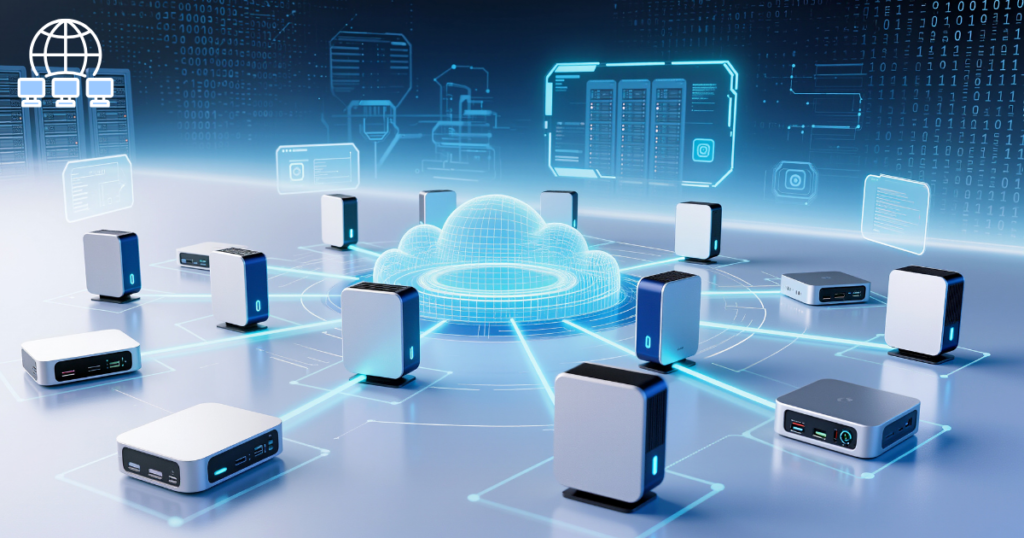
6. Topology Mapping
Visual maps show network structure, devices connected, dependencies, and the flow of data, helping IT teams visualize infrastructure.
7. Integration Capabilities
Integration with ticketing systems (e.g., Jira, ServiceNow), communication tools (Slack/Microsoft Teams), and IT service management (ITSM) platforms.
8. Scalability
Support for monitoring hundreds to thousands of devices is important for growing networks.
9. Security Monitoring
It alerts for unusual patterns that might indicate malware, DDoS attempts, or unauthorized access.
10. Cloud & Hybrid Monitoring
Support for traditional on-premise networks, cloud services (AWS, Azure, Google Cloud), and hybrid environments.
5. Benefits for Businesses
Reduced Downtime
- Early detection and alerts minimize outages and operational disruptions.
Faster Troubleshooting
- With detailed metrics and logs, IT teams can locate the root cause of issues quickly.
Optimized Performance
- Identifying bottlenecks helps with capacity planning and infrastructure investments.
Better Security Posture
- Monitoring helps detect anomalies that may signal a security incident.
Informed Decision Making
- Historical data and analytics support strategic IT decisions and budgeting.
Enhanced User Experience
- Consistent network performance leads to better application responsiveness and user satisfaction.
6. Use Cases across Industries
Enterprise IT
- Large organizations monitor thousands of devices, internal services, VPNs, and remote offices.
Managed Service Providers (MSPs)
- MSPs use monitoring software to deliver service level agreements (SLAs) and proactive maintenance for clients.
Data Centers
- Monitoring is essential for uptime and load balancing in data center environments.
Healthcare
- Networks supporting critical patient data and medical devices require constant monitoring for performance and compliance.
Education & Government
- Networks that serve campuses, public services, and citizens’ platforms must be highly available and secure.
7. Typical Metrics Monitored
- Uptime/downtime
- Bandwidth usage
- Latency and round‑trip time
- Packet loss
- Jitter
- CPU/Memory utilization on servers
- Error rates
- Traffic flows by protocol or application
- Device health and temperature
8. Leading Network Monitoring Software Tools
Many solutions exist, ranging from open‑source to enterprise‑grade. Common options include:
a. Nagios
It is a widely used open source platform with extensive plugin support. It is popular for custom monitoring.
b. Zabbix
They are an open source enterprise tool with strong visualization and alerting capabilities.
c. PRTG Network Monitor
Everything is in one monitoring with an intuitive interface, sensors for various metrics, and scalable licensing.
d. SolarWinds Network Performance Monitor
It has an enterprise-grade tool with topology mapping, intelligent alerting, and advanced diagnostics.
e. ManageEngine OpManager
They are all‑in‑one network and server monitoring with customizable dashboards and thresholds.
f. Datadog
They are Cloud native monitoring with integration across infrastructure, applications, and services.
g. Splunk
Focused on log analysis and SIEM, Splunk can be extended for deep network analytics.
h. Prometheus & Grafana
Open source pairing where Prometheus collects metrics and Grafana visualizes them in dashboards.

9. Best Practices for Effective Monitoring
1. Define Clear Metrics
- Prioritize the KPIs that matter most uptime, latency, packet loss, etc.
2. Establish Thresholds
- Set alert thresholds based on performance baselines, not guesswork.
3. Regularly Review Alerts
- Tune alert rules to reduce noise and focus on actionable incidents.
4. Integrate with ITSM Tools
- Connect monitoring alerts to ticketing systems for efficient incident tracking.
5. Monitor from End‑User Perspective
- Use synthetic transactions to ensure actual user‑experience performance, not just device metrics.
6. Maintain Documentation
- Keep network diagrams, alert definitions, and escalation procedures updated.
7. Automate Where Possible
- Leverage automated responses to common issues to reduce manual intervention.
8. Plan for Growth
- Ensure your monitoring solution scales with network expansion in devices, locations, and traffic.
10. Challenges and Considerations
Alert Fatigue
- Too many notifications can desensitize teams. Proper tuning is critical.
Complexity in Large Environments
- Large networks with hybrid cloud, SD‑WAN, and remote workers can pose monitoring complexity.
Data Overload
- High-volume metrics may require filtering and aggregation to be actionable.
Integration Requirements
- Monitoring is most useful when integrated with broader IT workflows (ticketing, automation)
Conclusion
Network monitoring software is a foundational component of modern IT operations. It empowers organizations to maintain system reliability, ensure optimal performance, detect security incidents, and improve user satisfaction. Whether for small businesses or global enterprises, investing in good network monitoring tools and practices ensures visibility, control, and responsiveness across your digital infrastructure.
By understanding how monitoring works, implementing best practices, and choosing tools that fit organizational needs, businesses can stay ahead of issues, turning reactive IT support into proactive network management.








Really great read — I appreciate how clearly you explained the importance of local online presence for businesses today. It’s a topic many companies overlook, i find it very interesting and very important topic. can i ask you a question? also we are recently checking out this newbies in the webdesign industry., you can take a look . waiting to ask my question if allowed. Thank you